
QC is the point where a saved product choice meets the item received at the warehouse. Compare the photographs with your selected model, size, colour and quantity. Decide whether to keep the goods, ask a specific question or explore an eligible return before adding them to a ready-to-ship parcel.
Match the view to the decision
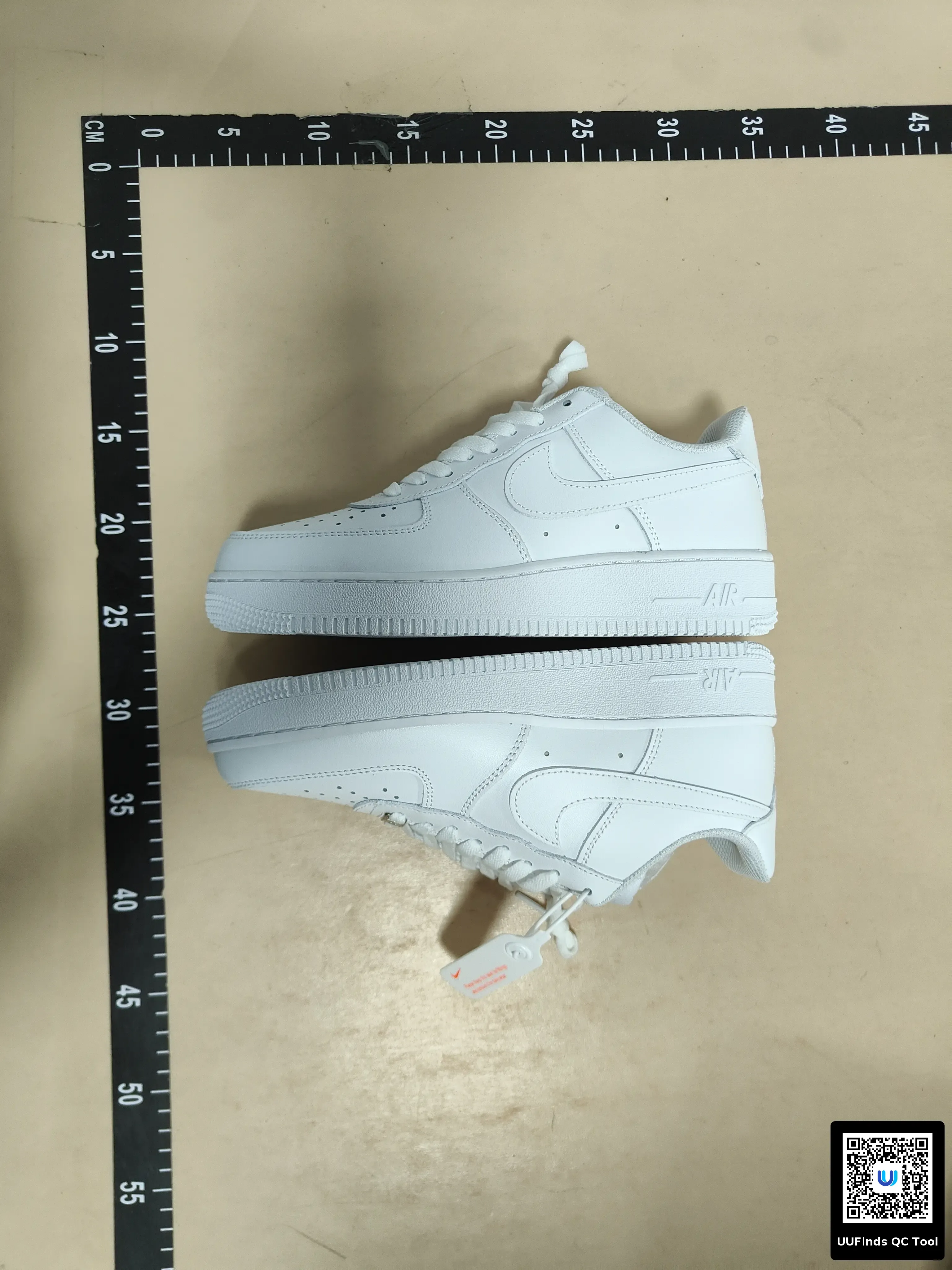
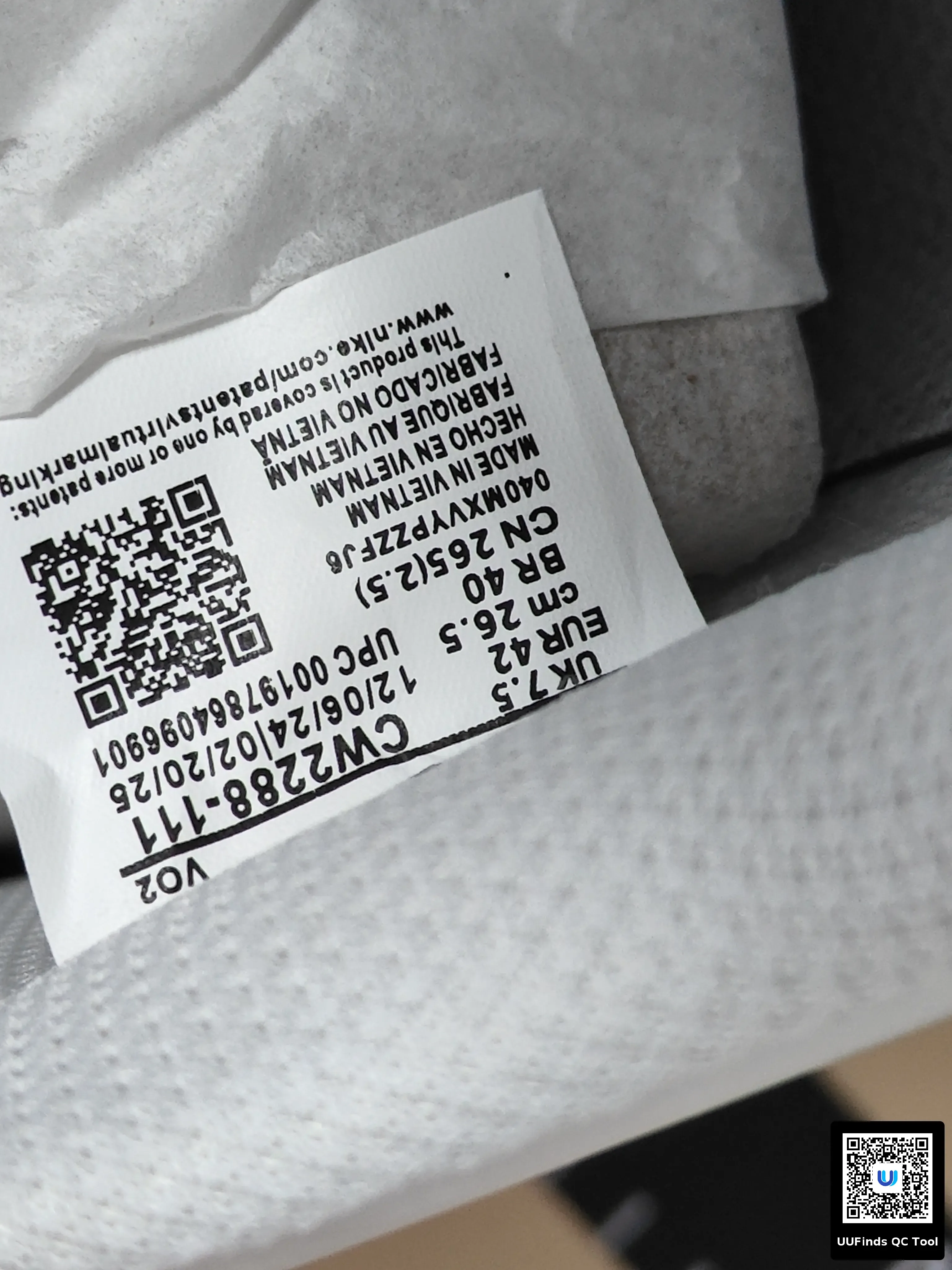
For a shoe pair, a side view can show visible panels and sole edges, while a product-label view helps read printed size systems. Neither establishes interior length or comfort. The public reference images below illustrate those separate purposes; they are not your received order or a confirmed match to an the catalog offer.
For a garment, a useful measurement photo needs clear endpoints. For a personalised shirt, the selected print needs to be legible. Explore jerseys in the catalog with the exact season, cut and printing choices recorded before purchase.
Ask one question clearly
If the concern is a name on the back, ask for that area. If it is width, identify where to measure. A general request for more pictures can produce more files without resolving the reason you hesitated.
Joyagoo describes electronics inspection as visual, including visible fittings, rather than powering the device on. Do not read an exterior photograph as evidence of functioning or hidden material properties.
Make the decision while the relevant window is open
For eligible goods, the described return period is five days or 120 hours after QC, with seller, condition, packaging and exclusion rules. Read returns when an issue appears. The warehouse storage period is not permission to postpone that time-sensitive decision.
Once the selection is settled, move the retained items into the shipping plan. An unresolved item should not silently become a confirmed parcel component.
Share only the useful product detail
Remove names, addresses, account details, order numbers and tracking identifiers before seeking a public opinion. Keep enough product context for the question without exposing the transaction.
The shoe guide adds category-specific checks, spreadsheet links explains what to save before ordering, and the buying guide connects QC with the preceding purchase and following parcel decision.
Electronics and iPhone queries need an item-type check
Is the offer a device, a case or another accessory? Confirm the included pieces first. An iPhone case needs model compatibility checked; a device needs condition and functional evidence beyond an outside photograph.
Joyagoo describes electronics inspection as visual QC, not a power-on test. Appearance does not establish battery health, activation, connectivity or dependable operation. Identify the evidence that would answer your functional concern.
If a battery is included, verify transport restrictions and eligible services before purchase, keeping needed protective packing. The shipping guide organises the parcel comparison but does not establish that every device is accepted.
Joyagoo quality: distinguish what has actually been checked
Condition, fit, material and function need different evidence. A close view may reveal a visible seam defect; a measurement may help with fit. Neither proves composition, authenticity or performance over time.
Write the unanswered question before requesting more images. Repeated general views may not resolve it. Electronics visual QC does not include power-on tests. Keep the product decision distinct from the service assessment in the review, and settle important differences before building the international parcel.
Jerseys: check the selected design and personalisation
A team name is not a complete jersey specification. Different seasons, home or away designs, cuts and printing options can appear within a single offer. Make those choices explicit before comparing prices or saving a row for purchase.
Compare the selected cut
Use the measurements supplied for the relevant version. A familiar size letter on another shirt may not describe the same cut. Compare consistent measuring points with a garment you own, especially when the shape is part of why you want that version.
Treat personalisation as a separate selection
Check the spelling, number, placement and colour of the print where those choices are offered. Record the completed configuration and current price. A base price without printing is not necessarily the amount for the option you intend to buy.
Read any return exclusions or conditions before confirming personalisation. The platform's eligible return window is not a universal promise for every customised item.
Request the view that confirms the choice
When the item arrives, inspect the actual version and selected print. A front photo cannot confirm a name on the back. If the lettering is unclear, ask for a legible view of that area instead of another unrelated angle.
The QC guide explains how to frame a useful request. Check returns promptly if you need to discuss an eligible discrepancy; storage time is a different rule.
After the item decision, use the buying guide and shipping guidance to plan the parcel. Keep the exact season, cut and print attached to the address using spreadsheet links, so a later visit does not turn into a different shirt by accident.